Proxmox Add Drives
Add my drives:
qm set 100 -scsi1 /dev/disk/by-id/nvme-WD_BLACK_SN7100_2TB_25263U802400
qm set 100 -scsi2 /dev/disk/by-id/ata-Lexar_240GB_SSD_MDU085R003589
qm rescan
Mount any external drive:
| For NTFS: | mount -t ntfs-3g /dev/sdb1 /mnt/pool/ext-drive |
|---|---|
| For xfat: | mount /dev/sdb1 /mnt/pool/ext-drive |
Where sdb1 is the storage name under /dev and we are saving it in the /mnt/pool/ext-drive location
One Important Note: In your previous qm set 100 command, you passed the raw NVMe disk to a VM. If Container 100 is an LXC container, you should stop doing that. Raw passthrough is for VMs. For containers, the “Bind Mount” (Step 2C) is much faster and allows multiple containers to use the same files simultaneously without corruption.
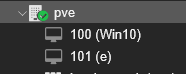
Change 100 with the Actual Node ID:
Settings to keep:
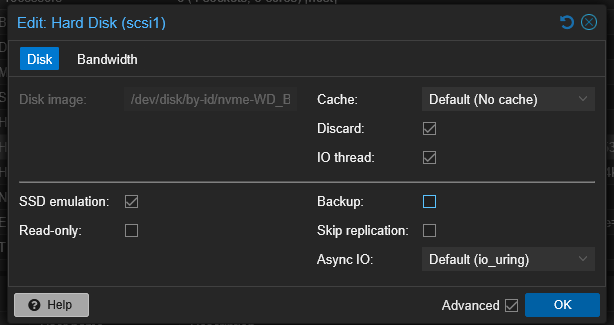
Note: Uncheck Backup to ensure snapshots work